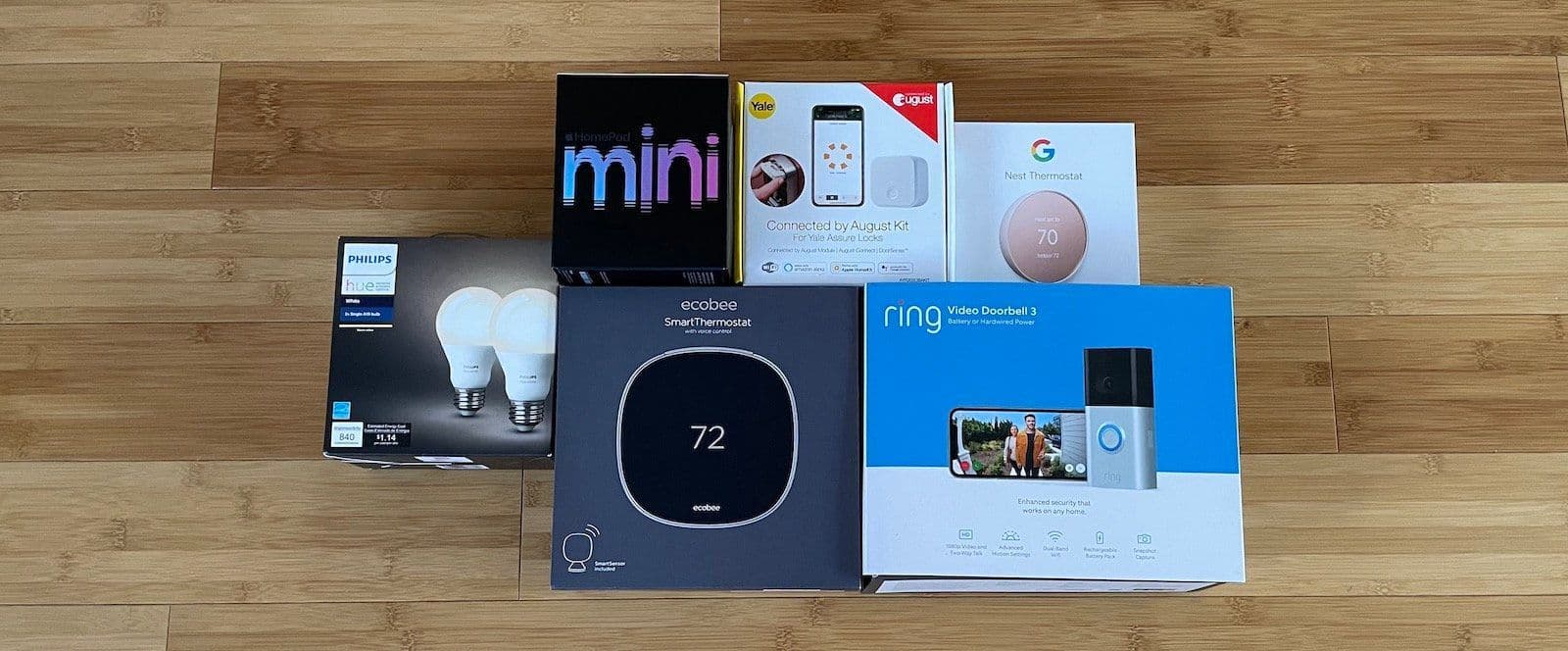
I've been building out my smart home for more than ten years now. What started as a couple Philips Hue bulbs and an Amazon Echo has turned into a full setup with smart locks, thermostats, sensors, blinds, irrigation, and even a temperature-controlled bed. Along the way, I’ve tested hundreds of products and automations to figure out what actually makes life easier and what’s just a gimmick.
This post is a collection of every smart home automation idea I’ve found useful, organized by product category. Some of these I use daily. Others are ideas that might work for your setup even if they’re not relevant to mine. Think of this as a master list to pull from, whether you’re just getting started or looking to add something new.
Before we get into the ideas, a quick note on the smart home landscape in 2026.
Matter and Thread Changed Everything
If you bought smart home gear before 2023, you probably dealt with compatibility headaches. Some devices only worked with Alexa, others only with HomeKit, and getting them to talk to each other required workarounds like IFTTT or a SmartThings hub.
Matter fixed most of that. It’s a universal standard that lets devices from different brands work together across Apple Home, Google Home, and Alexa. When you’re shopping for new gear in 2026, look for the Matter logo. It means the device will work with whatever platform you’re using, and you won’t get locked into one ecosystem.
Thread is the wireless protocol that many Matter devices use to communicate. Instead of relying on Wi-Fi or a proprietary hub, Thread devices form a mesh network that gets stronger the more devices you add. Your Apple TV, HomePod, or certain routers (like Eero) act as Thread border routers, which means your smart home network builds itself over time. No extra hub needed for most setups.
I bring this up because it changes how you should think about buying smart home products. You don’t need to stress about ecosystems as much anymore. Just look for Matter compatibility and you’re good.
Smart Speakers and Displays as Your Hub
Before jumping into individual product categories, you need a central control point. A smart speaker or display is the foundation of most smart homes. It’s how you give voice commands, set routines, and tie everything together.
An Amazon Echo, Google Nest Hub, or Apple HomePod all work. Which one you pick depends on what ecosystem you’re in. If you're an iPhone user, HomePod pairs naturally with Apple Home. If you use a mix of devices, Alexa has the widest device compatibility, though Google has closed the gap. If you’re undecided, go with whatever phone you use and build from there.
A smart display (like the Echo Show or Nest Hub) adds a screen for viewing camera feeds, controlling devices visually, and following recipes. Not required, but nice to have in the kitchen.
Smart Lights
Smart lights are still the best starting point for any smart home. They’re affordable, easy to set up, and the automations are immediately useful.
What I recommend: I’ve been using Philips Hue for years and they’re still my top pick. The dedicated Hue Bridge gives you rock-solid reliability that I haven’t been able to replicate with hub-less options. I’m currently running the Hue ceiling-mounted recessed LED lights throughout my house and they’re awesome. Clean look, no bulbs hanging down, and full color and brightness control through the app. I actually switched away from Nanoleaf after having around 20 lights in my house because their Thread mesh requires every light to talk to each other and this didn't seem to work for my setup.
Smart switches are worth mentioning too. They cost more than smart bulbs, but they let you use the physical switch on the wall normally, which avoids the classic problem of a guest flipping the switch and killing power to your smart bulbs.
Ideas:
Use your smart lights at a lower brightness to conserve energy.
Have your lights slowly dim just before bedtime.
Dim and change your lights to a warmer color (more reddish) once the sun sets to help with sleep.
Have all the smart lights turn off when everybody has left the house via geofence.
Have some lights turn on when you arrive home via geofence.
Have a light gently wake you up in the morning rather than a phone alarm. Philips SmartSleep or Casper Glow Lights are made for this.
Set the lights to randomly flash to make it appear as if you’re home when you’re away.
Have a specific light flash as a reminder to take out the trash or switch the laundry.
Automatically turn on your outdoor lights at sunset.
With Home Assistant, dim the lights when you start watching a movie and bring them back up when you pause.
Set lights to flash when the doorbell rings (helpful if you’re wearing headphones or have hearing issues).
Smart Plugs
Smart plugs turn regular devices into smart devices. Plug in a standard lamp, coffee maker, or Christmas tree and now you can control it with your phone, voice, or automations.
What I recommend: Look for Matter-compatible smart plugs and any brand will likely do. TP-Link Kasa and Eve plugs are both solid picks that work across all platforms. But I brought a four pack of Amazon Basics Smart Plugs for $40 and they've been awesome! I added them right inside Apple's Home app without ever touching Alexa.
Ideas:
Make any lamp smart with voice commands, schedules, or location-based triggers.
Turn on your Christmas tree when you arrive home and after sunset.
Create a schedule to cut power to energy-hungry appliances when not in use.
Automatically turn off a space heater after a set amount of time for safety.
Use a smart plug on your coffee maker so it starts brewing when your morning alarm goes off.
Smart Thermostat
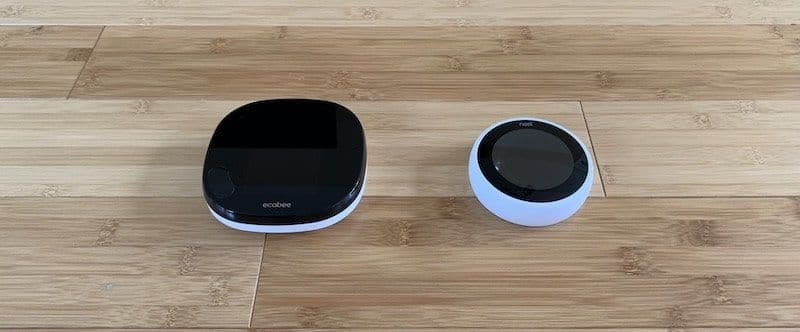
Smart thermostats save money by learning when to run your heating and cooling based on schedules, occupancy, and your phone’s location. They're one of the few smart home products that pay for themselves.
What I recommend: The Nest Learning Thermostat (4th gen) got a big redesign and is great if you want something that mostly manages itself. Ecobee Smart Thermostat is the better pick if you want more manual control and compatibility with all smart home platforms. Ecobee can be trickier to install if your house doesn’t have a C-wire, but it’s worth the effort.
Ideas:
Use your phone’s location (geofence) to adjust the temperature when you leave or arrive home.
Take advantage of your thermostat’s ability to keep the fan running after the AC compressor turns off. The coils still produce cool air after they shut down, so you get free cooling pumped through your house.
Get notified when it’s time to change your HVAC filter.
Get a notification when humidity reaches a certain level.
Get a notification when the thermostat’s motion sensor detects someone is home.
Create a seasonal schedule that adjusts automatically between summer and winter settings.
Robot Vacuums
Robot vacuums have come a long way. The new models use LiDAR mapping to learn your floor plan, avoid obstacles, empty their own dustbin at the dock, and mop your floors in the same run. They still probably won't replace manual vacuuming in most situations, but they’re close.
The main annoyance is noise. I don’t want to listen to a vacuum while I’m working. The fix is simple: schedule it to run when you’re out of the house.
What I recommend: Roborock seems like the best combo vacuum/mop units right now. They have self-emptying docks, LiDAR mapping, and room-specific cleaning. iRobot’s Roomba is still solid if you want to stay in that ecosystem, but the Chinese brands have pulled ahead on features and value. For a budget option, Eufy’s are always surprisingly capable (I haven't tested one in a few years, but I'm confident in recommending whatever the best rated one on Amazon in your budget is.)
Ideas:
Schedule your robot to clean while you’re at work and return to its base before you get home.
Set up room-specific cleaning schedules. Kitchen daily, bedrooms twice a week.
Create no-go zones on the map to keep the robot away from pet bowls, cords, or trouble spots.
Use a voice command to send the robot back to its base when a guest arrives.
Set the robot to mop the kitchen floor every morning after breakfast.
Smart Locks
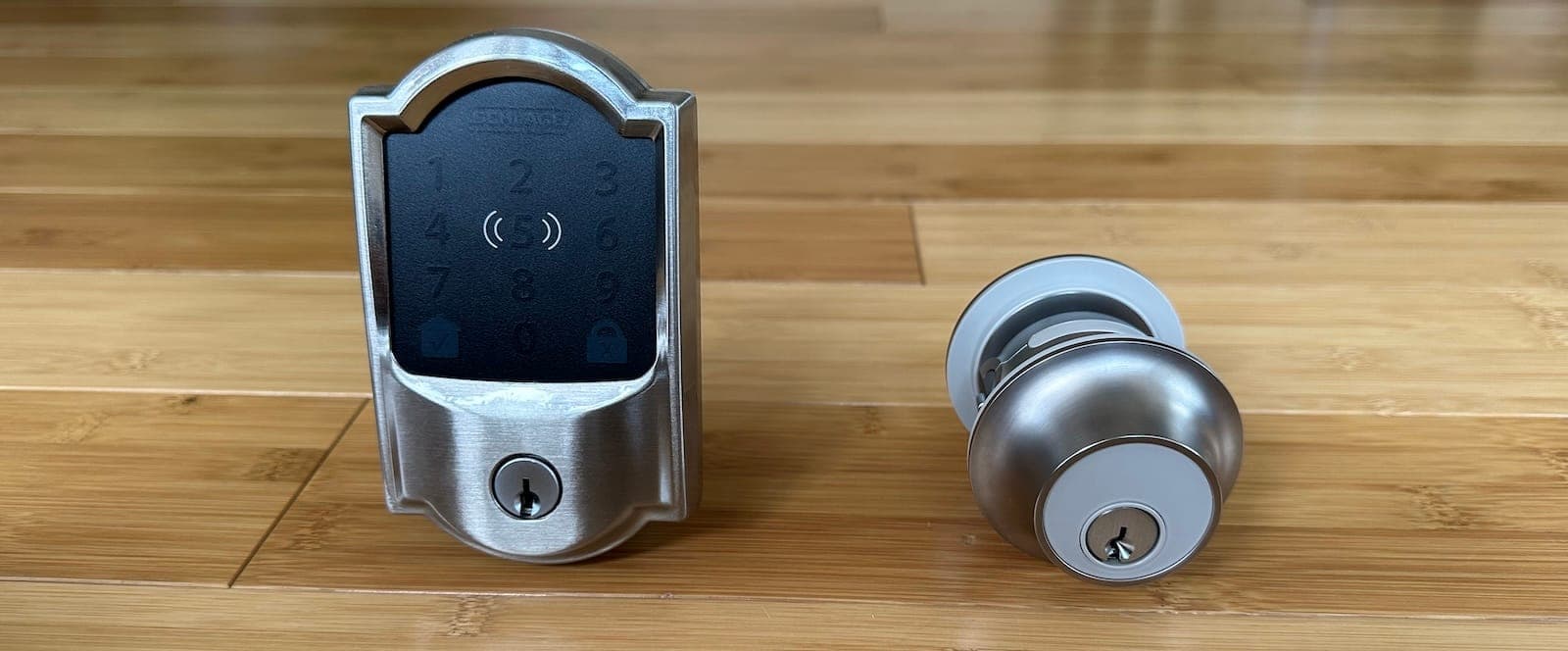
Smart locks are still my favorite smart home product. They improve my life without adding complexity. It’s the one product category where I’d tell anyone to start if they only want one smart device.
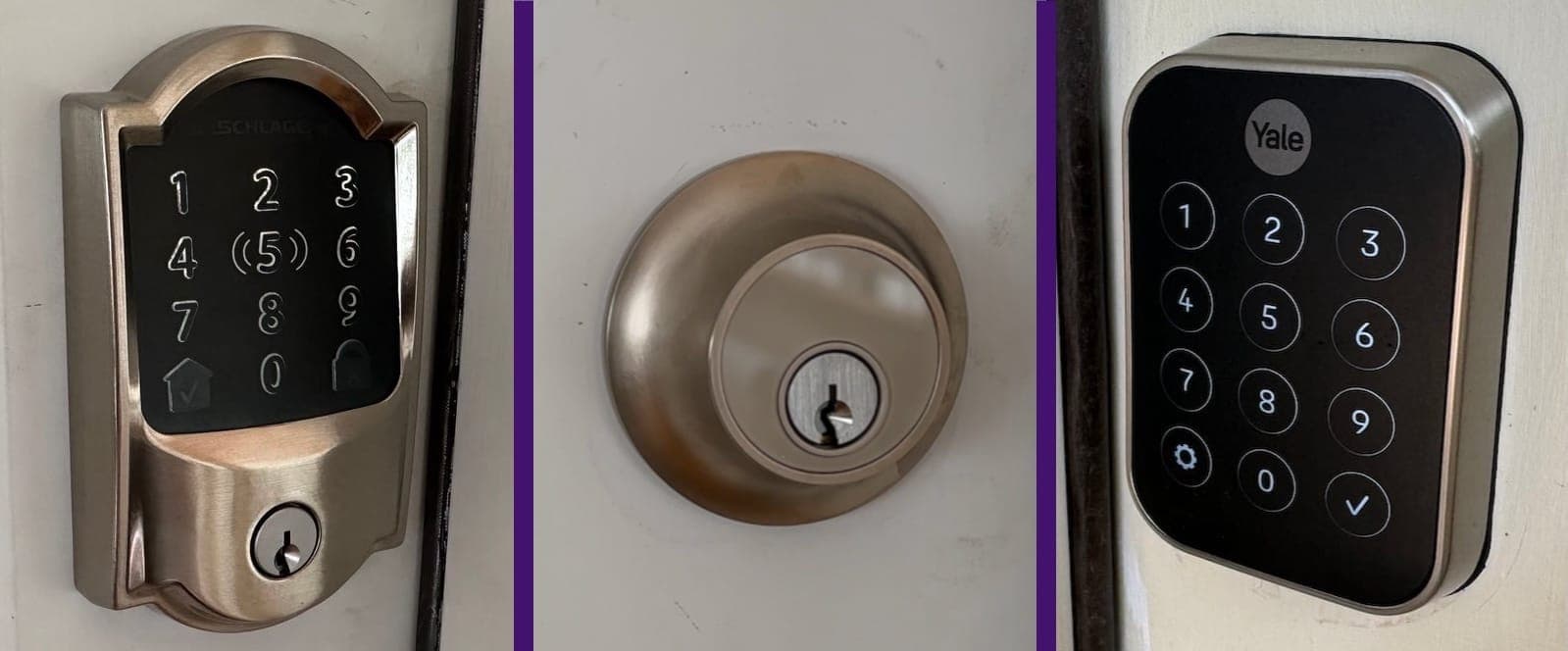
What I recommend: Yale smart locks are still what I recommend for most people. They work with all major platforms and the August software is user-friendly. The newer Yale models support Apple Home Key, so you can unlock your door by tapping your iPhone or Apple Watch. The Aqara U200 and U300 are strong alternatives that work with Matter. The Schlage Encode Plus and Level Lock Plus are great if you’re deep in the Apple ecosystem.
Ideas:
Create individual access codes for kids, guests, and extended family. Get a notification when specific people arrive based on which code is used.
Give temporary access codes to babysitters or cleaners that only work during certain hours.
Have a certain song play through your speakers when certain people arrive (based on which entry code is used).
Set your door to automatically lock after a set amount of time. Most smart locks let you pick intervals between 30 seconds and one hour.
Use auto-unlock to have your door unlock automatically when you’re within a few feet.
Trigger your smart lights to turn on whenever the front door is unlocked.
Pair your smart lock with a geofence for an arriving home routine: location detects you, lock opens, lights turn on, thermostat adjusts.
Sensors
Door sensors, window sensors, motion sensors, and water leak sensors aren’t exciting on their own. But they’re the glue that makes advanced automations possible. A sensor acts as the trigger that tells another device to do something.
What I recommend: Aqara and Eve both make excellent sensors that work with Matter and Thread. If you already have a hub from Ring, SimpliSafe, or SmartThings, their sensors work fine too. For most people, Aqara is the best balance of price, reliability, and compatibility.
Ideas:
Get email or text alerts if motion detectors go off in or around your home.
Get notified when your refrigerator is left open.
Have motion sensors shut off lights after a set number of minutes to save on energy.
Use a sensor on the washer to get an alert when it’s done so you can move clothes to the dryer.
Get notified when there’s a leak in the basement or under the kitchen sink.
Create a trigger for lights to flash when your office door is opened. This is great when you’re in the zone with noise-canceling headphones and don’t want to get startled.
Get a notification when certain cabinets are opened (whether it’s keeping toddlers from cleaning supplies or teens from the liquor cabinet).
Put a sensor on your mailbox that alerts you when something is delivered.
Set the front door to send an alert when left open for more than a few minutes.
Automatically adjust the thermostat when you open a window.
Use motion-activated smart light strips as accent lights for midnight bathroom trips. They’re way easier on your eyes than flipping on the ceiling light.
Have a motion detector trigger your cameras to stream to a Fire TV or Chromecast.
Trigger your Eight Sleep mattress cover to warm up when a bedroom sensor detects the temperature dropping too low.
Smart Irrigation
Smart irrigation controllers are one of those products that save you both time and money once they’re set up. Instead of running sprinklers on a dumb timer that doesn’t care if it rained yesterday, a smart controller adjusts automatically based on weather, soil type, and sun exposure.
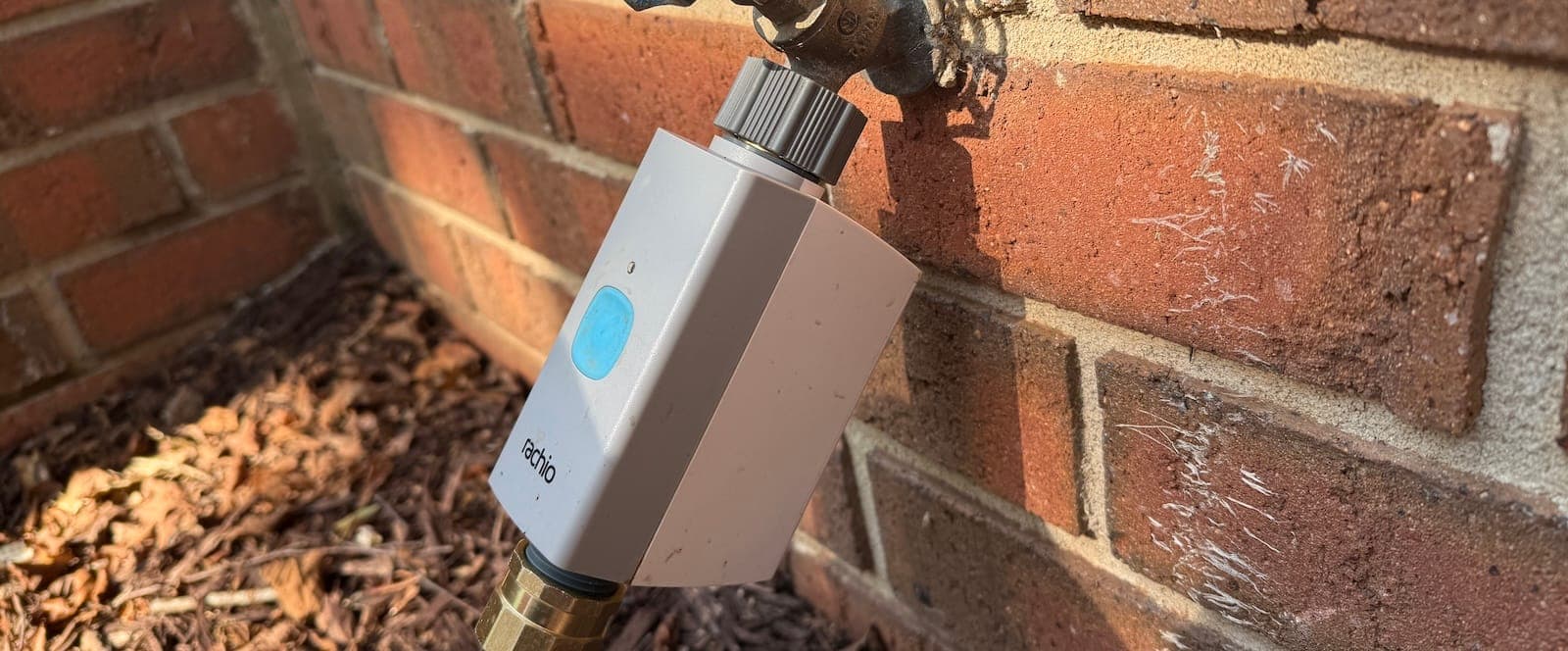
What I recommend: I use a Rachio smart hose timer and it’s been great. Rachio skips watering when rain is in the forecast and adjusts run times seasonally.
Ideas:
Schedule watering based on weather forecasts so the system automatically skips rainy days.
Set up seasonal schedules that adjust run times as temperatures change throughout the year.
Get notifications when a zone runs or skips so you know what’s happening without checking.
Use flow monitoring to detect leaks or broken sprinkler heads before they waste water.
Pause all watering with a voice command when the kids are playing in the yard.
Set a watering delay after mowing so you’re not running sprinklers on freshly cut grass.
Use the Rachio smart hose timer to automate watering for garden beds, potted plants, or areas your in-ground system doesn’t reach.
Smart Sleep
This is a newer category, but if you’re into health and recovery optimization, there’s some cool stuff happening here. I’ve been sleeping on an Eight Sleep mattress cover for over four years and it’s still one of my favorite tech purchases.
What I recommend: Eight Sleep’s Pod Cover is the standout product here. It uses a grid of water-cooled (or heated) coils under your sheets to control your bed temperature throughout the night. It also tracks your sleep, heart rate, HRV, and respiratory rate without wearing anything on your wrist. It’s expensive (starting around $2,000 for just the cover), but if temperature is what’s messing with your sleep, nothing else comes close. Eight Sleep also has a smart pillow cover and blanket.
Ideas:
Have your bed automatically pre-cool (or pre-heat) before your bedtime so it’s perfect when you get in.
Set different temperatures for each sleep stage. Cooler during deep sleep, slightly warmer as you approach wake-up.
Use the GentleRise vibration alarm to wake up without disturbing your partner. Way better than a loud phone alarm.
Have your smart lights gradually brighten when your Eight Sleep alarm goes off for a natural wake-up.
Import your sleep data to Apple Health so it sits alongside your workout and recovery data in one place.
Each side of the bed gets independent temperature control, so you and your partner can both be comfortable without fighting over the thermostat.
Mesh WiFi
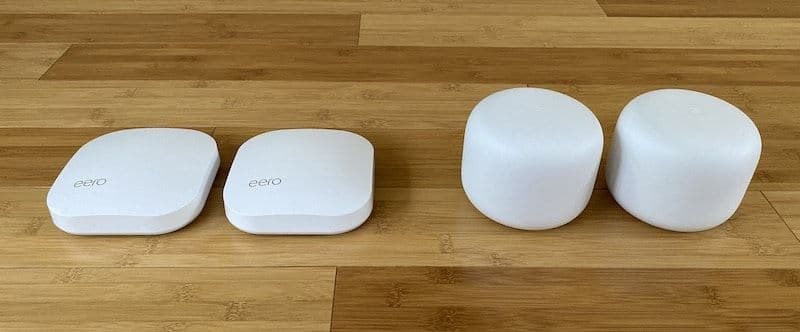
A solid WiFi network is the backbone of your smart home. If your internet is spotty, nothing else works reliably. Mesh WiFi systems extend coverage throughout your house by using multiple access points that act as one seamless network.
What I recommend: I still recommend Eero. The network is stable, the app is easy to use, and the newer Eero models act as Thread border routers, which means they double as the backbone for your Thread-based smart home devices. Google’s Nest Wifi Pro is a fine alternative, especially if you’re deep in the Google ecosystem.
Ideas:
Pause the network during dinner time. You can set this on a schedule or trigger it with a voice command.
Group all the devices on your network by family member. Then create scheduled downtime for each group. Great for bedtime or homework time.
Pause a specific person’s devices at any time.
Set up a separate guest network with its own password so visitors don’t have access to your main network and smart home devices.
Get notified when a new device connects to your network.
Smart Doorbells
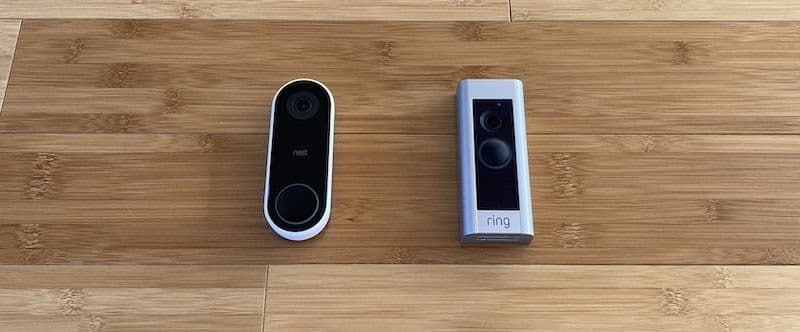
Smart doorbells are great for monitoring packages, seeing who’s at your door, and triggering automations throughout your home.
What I recommend: I'm currently testing the 3rd generation Google Nest Doorbell and it’s a solid pick. It works with Google Home and has gotten better at detecting people vs packages vs animals. Ring doorbells still have the widest integration with Alexa and other platforms, though they don’t work with HomeKit natively. If you’re in the Apple ecosystem, check out options with Matter or HomeKit Secure Video support.
Ideas:
Get a notification when packages arrive using motion alerts that can distinguish between people and packages.
Pause the TV when someone rings your doorbell.
Have your lights flash when someone rings the doorbell.
Pause a robot vacuum when someone rings the doorbell so you can hear them through the speaker.
Set up a routine that shows the doorbell camera feed on your smart display when someone rings.
Get alerts only for people, not every car that drives by, using the newer AI detection features.
Smart Blinds
Smart blinds let you control the light in your room without getting off the couch. You can buy a complete smart blind unit or get a motor that attaches to your existing blinds to make them smart.
What I recommend: Eve MotionBlinds and Aqara roller shades are both strong options that work with Matter and Thread. Lutron Serena is the premium pick if budget isn’t a concern. If you want to keep your existing blinds, the SwitchBot Blind Tilt or Soma Smart Shades motor can make them smart without replacing the whole unit.
Ideas:
Have blinds work around the sun, opening for natural light during the day and closing at sunset.
Close blinds when you start a movie during the daytime.
Open blinds at a set time to help wake you up with natural light.
Close blinds at night for privacy.
Open or close blinds based on your location (home vs away).
Close blinds automatically when the indoor temperature rises above a certain point to block heat from the sun.
NFC Tags
Every smartphone has an NFC reader, which is usually used for contactless payments like Apple Pay. But you can also use NFC sticker tags to trigger automations. Scan a tag with your phone and it performs an action you’ve programmed. I have an NFC tag under my office desk that turns on my studio lights for YouTube videos.
What you need: Any NFC tags on Amazon will work. Grab a bag of 20 for around $10. You set up the automations with the Shortcuts app on iPhone or Tasker on Android.
Ideas:
Scan a tag when you complete a task to check it off your list or create a reminder to do it again.
Scan a tag next to your door to unlock your smart lock.
Scan a tag when you run out of a household item to add it to your shopping list.
Scan a tag when you’re ready to work to disable all phone notifications and turn on focus mode.
Scan a tag to log when a vitamin or supplement was taken.
Put a tag on your nightstand that triggers your bedtime routine: lights dim, thermostat adjusts, phone goes to Do Not Disturb.
Smart Buttons
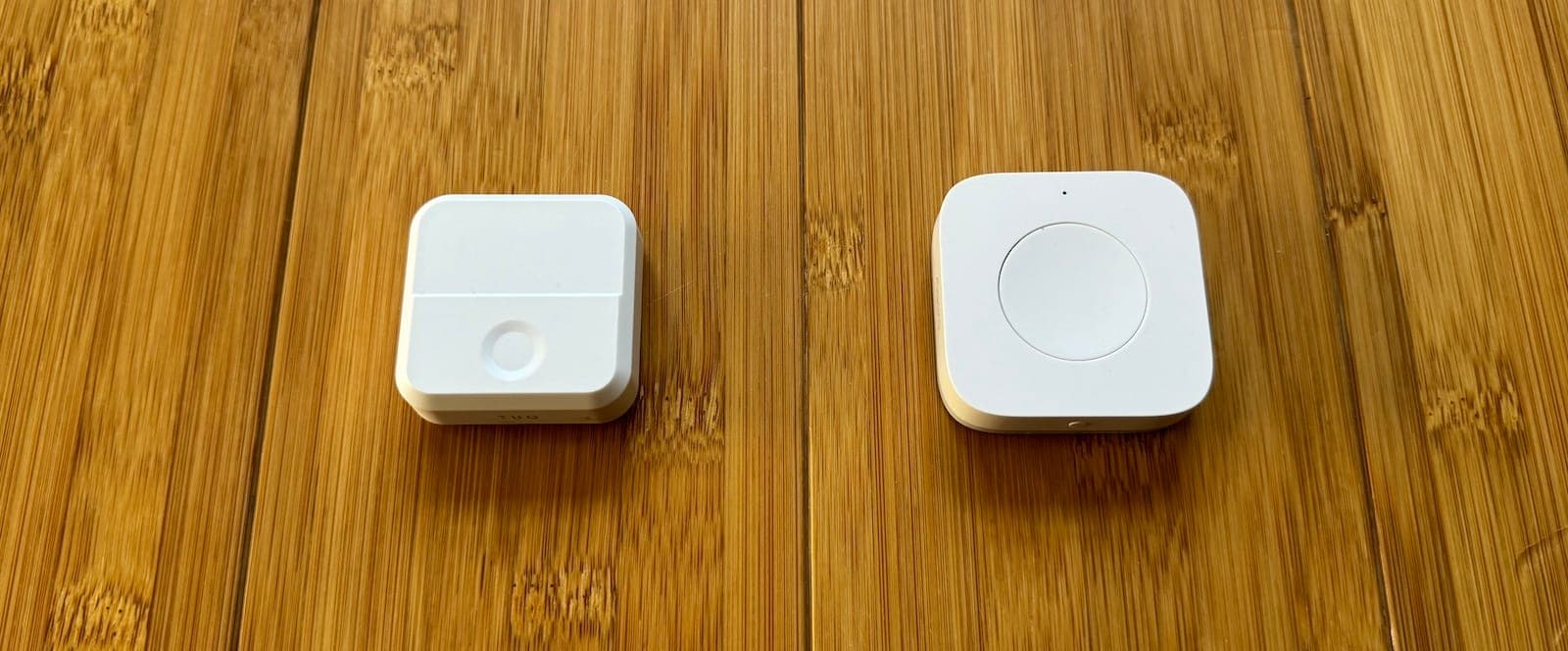
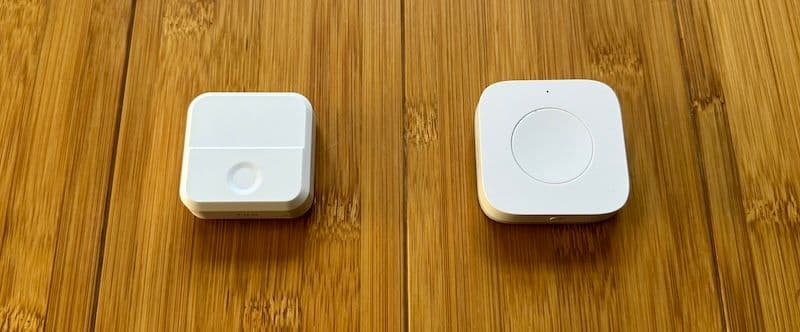
Smart buttons are simple, wireless controllers that can trigger automations with a press, double press, or long hold. They don’t need wiring, so you can stick them anywhere. They’re perfect for when it’s not convenient to pull out your phone or talk to a voice assistant.
What I recommend: The Arre and Aqara smart buttons. The Arre button has a magnetic back, easy programming, and works with all platforms via Matter. Aqara buttons are also great, but they need a separate Aqara hub. Both support multiple actions (single press, double press, long press) so one button can control several things.
Ideas:
Toggle lights and devices on and off with a single press.
Program a button to activate a "Movie Night" scene that dims the lights, closes the blinds, and turns on the TV.
Use a button as a panic alarm. One press sounds an alarm and sends a notification to your phone.
Assign your morning or bedtime routine to a button. One press adjusts lights, thermostat, and coffee maker.
Control music playback. Play, pause, skip tracks, or adjust volume without touching your phone.
Advanced Automations with Home Assistant
Most of the ideas above can be done with the native apps from Apple Home, Google Home, or Alexa. But if you want to get really creative, Home Assistant is the power tool. It’s free, open-source software that runs on a small home server (or a Raspberry Pi) and connects to basically everything.
Home Assistant has a learning curve. It’s not for everyone. But if you’re a tinkerer who wants automations that go beyond what the default apps offer, it’s worth exploring. A few examples of what’s possible: turn off your thermostat when electricity prices spike, trigger your sprinklers only when soil moisture drops below a threshold using a sensor, or create a single "Goodnight" command that locks the doors, arms the security system, turns off every light, sets the thermostat, and starts your Eight Sleep's bedtime schedule.
I used to recommend IFTTT for this kind of stuff, but they gutted the free tier years ago and now charge for most useful automations. Home Assistant does everything IFTTT did and more, for free, with better reliability. The trade-off is setup time.
Final Thoughts
You don’t need all of this stuff. The best smart homes start with one or two products that solve a real problem, then grow from there. If you’re just getting started, a smart lock, a couple smart lights, and a smart speaker will change how you interact with your home. From there, add products as you find genuine use cases for them.
The biggest mistake I see people make is buying smart home gear because it’s cool rather than because it’s useful. A smart button that triggers your morning routine saves real time every day. A smart sensor that alerts you to a water leak could save you thousands. But a smart toaster? Probably not going to change your life.
Start with what solves a problem, then build from there. And if you want to go deep on any specific product I mentioned, check out the individual reviews on this site.