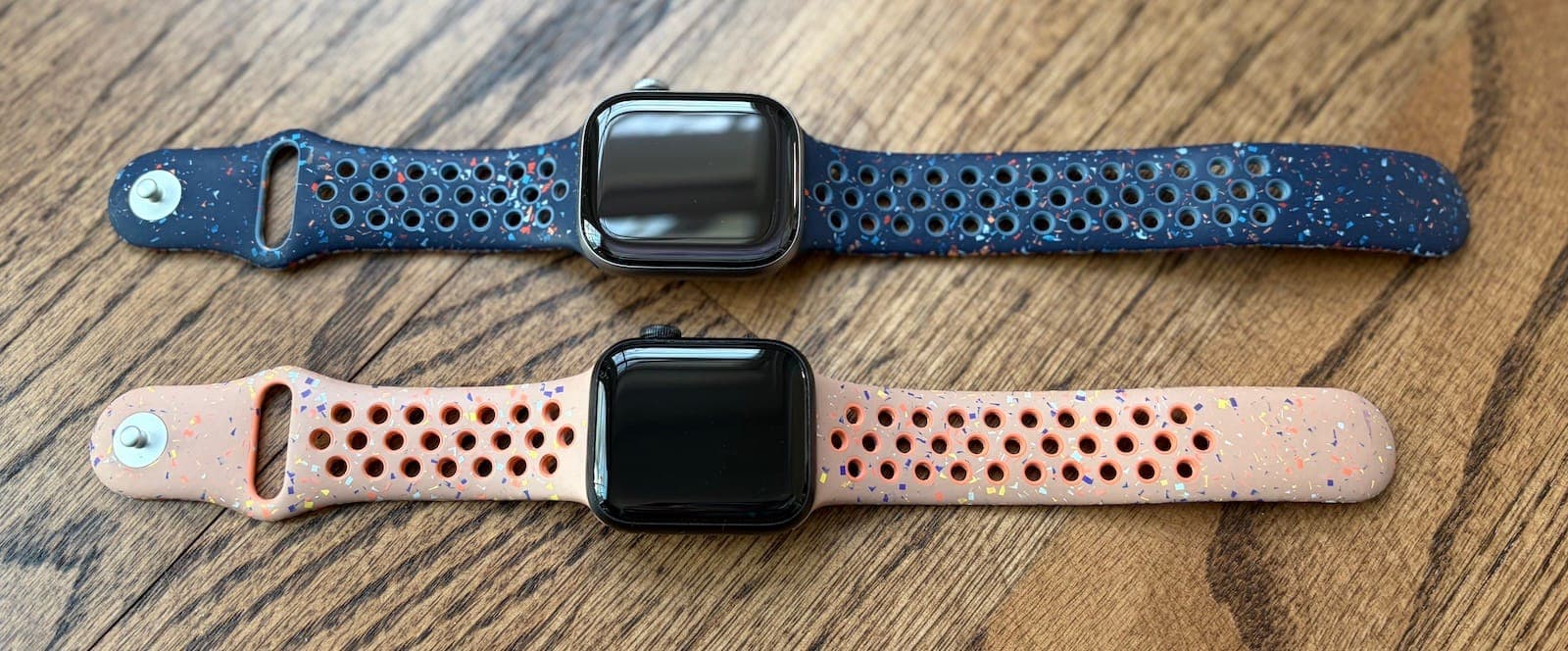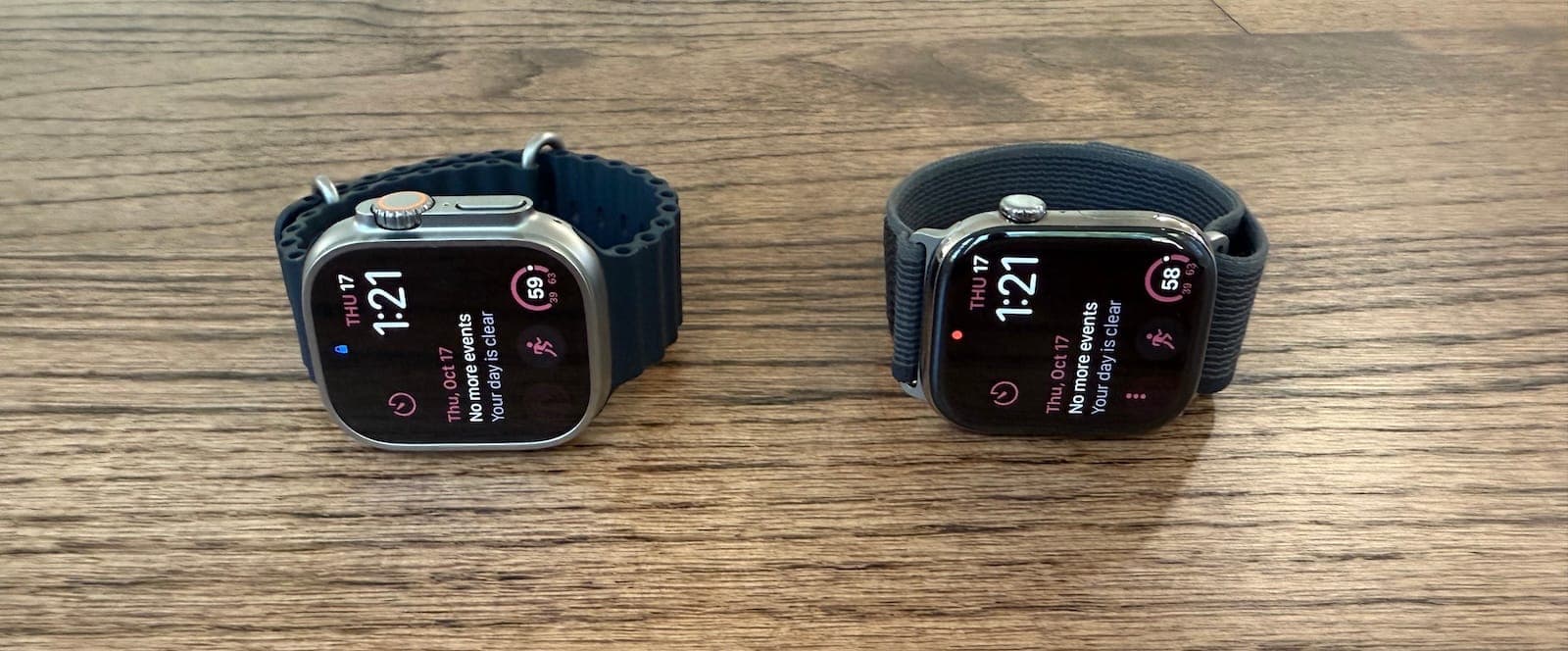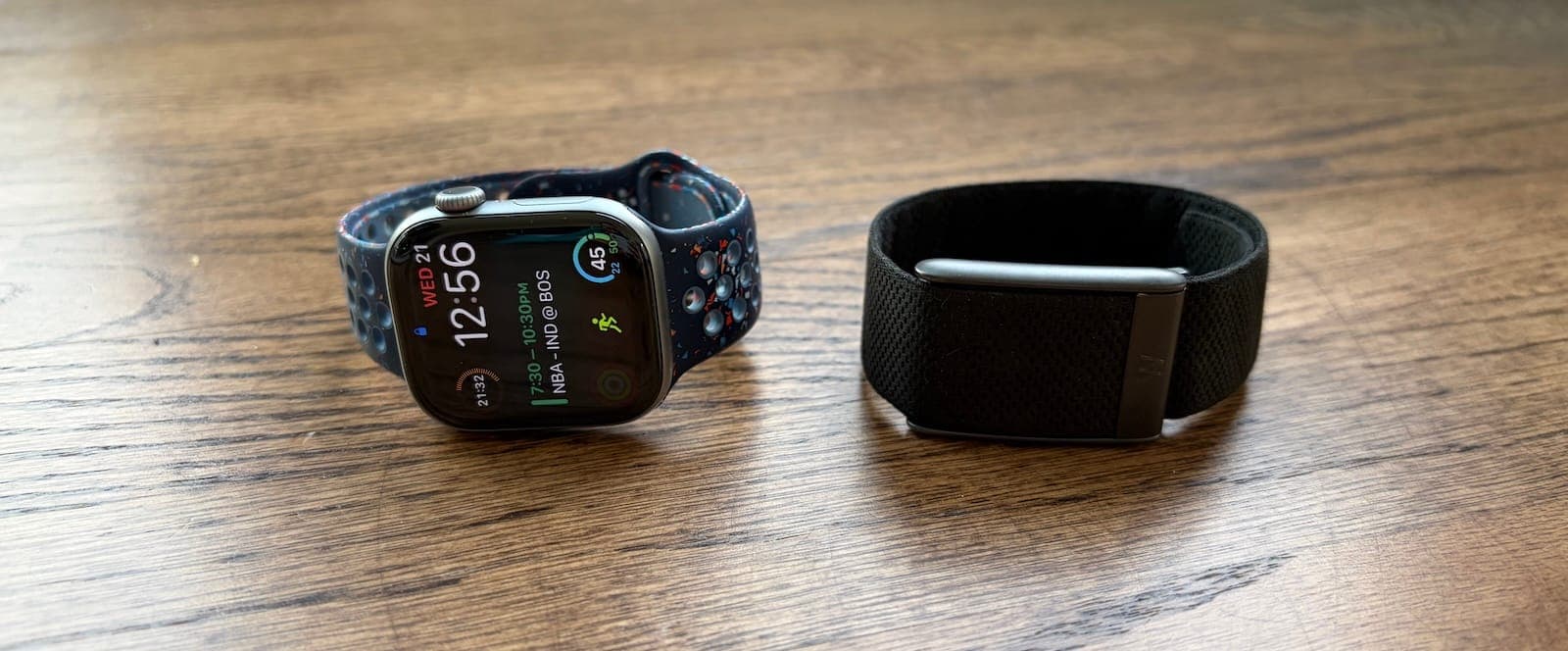
I've been wearing an Apple Watch on my left wrist for more than 4,000 consecutive days. On my right wrist, I've tested the Whoop 3.0 and Whoop 4.0 for a few months each in the past, and now the Whoop 5.0 for more than six months. You're looking at around $400 for either device over two years of ownership. But even at the same price, they target completely different users.
The Apple Watch Series 11 is the ultimate motivation and exercise tracking tool. It gamifies fitness, helps you leave your phone behind during workouts, and gives you instant access to your stats on a beautiful edge-to-edge display.
The Whoop 5.0 focuses on recovery optimization by analyzing your sleep, activity, and heart data. It assumes you're already active and instead tries to prevent overtraining by telling you when to push hard and when to take it easy.
I still love and prefer my Apple Watch, but after six months of testing the 5.0, I've come to appreciate what Whoop does well, even if it's not for everyone.
Let's break down the five main differences between these devices.
1. Motivation & Approach
The Apple Watch Series 11 and Whoop 5.0 take opposite approaches to fitness.
Apple Watch uses three Activity Rings to gamify exercise. The Move Ring tracks active calories burned, the Exercise Ring counts workout minutes, and the Stand Ring makes sure you're not sitting all day. Close all three rings, and you get a satisfying visual reward. Add in monthly challenges, workout streaks, and the ability to compete with friends, and exercise becomes addictive in the best way possible.
Before I got an Apple Watch in 2017, I'd exercise a couple times per week. Now I'm on a 2,700+ day streak of closing my rings, and working out is as natural as brushing my teeth. The Apple Watch transformed me from someone who dreaded exercise into someone who looks forward to it every morning.
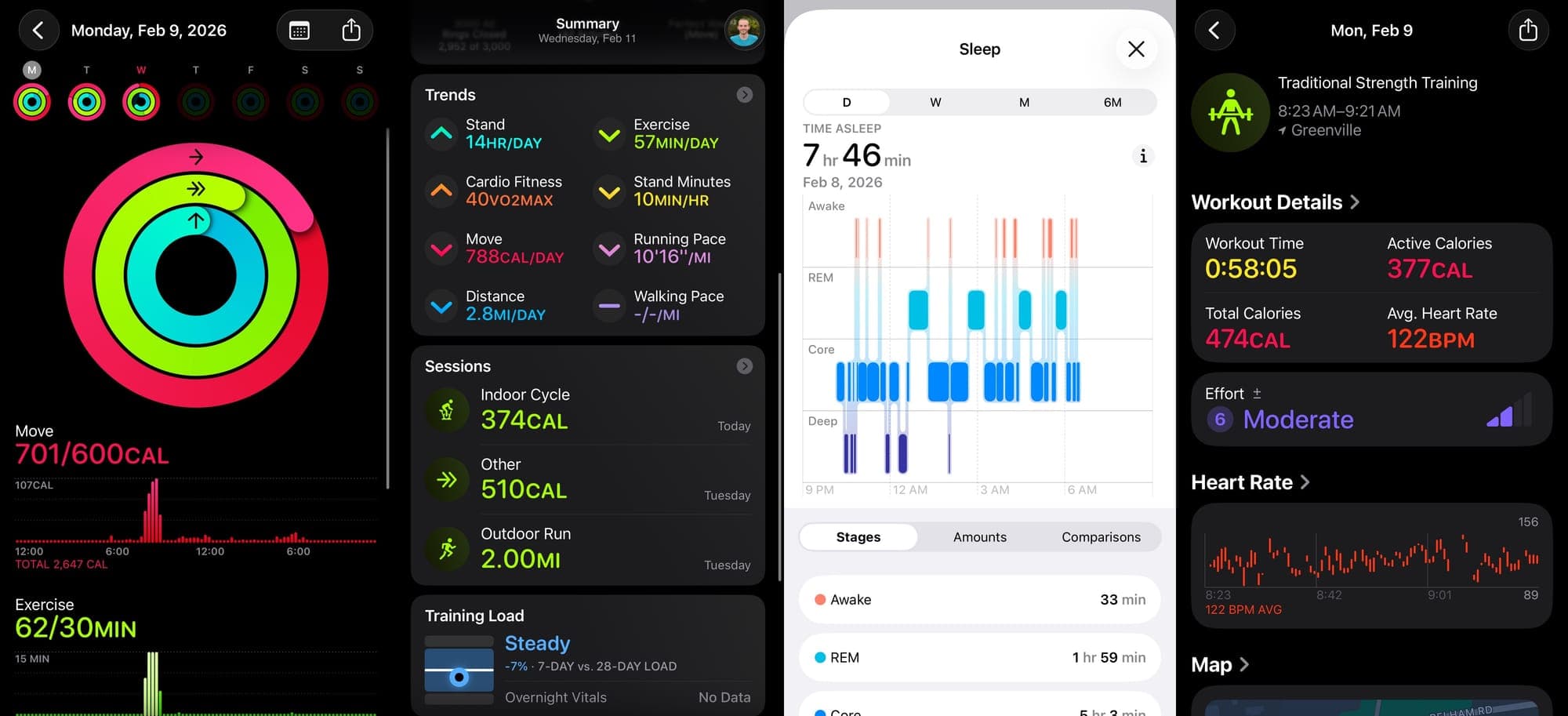
Apple recently added a "Training Load" feature that measures strain similar to Whoop. At the end of each workout, you tell your Apple Watch your perceived exertion level, and over time you'll get a graph showing if you're pushing too hard or not hard enough. It's a decent start, but it relies on user input rather than automatic detection.
Whoop takes the opposite approach. It assumes you're already active and focuses on optimization instead of motivation. Each day, Whoop calculates an "Optimal Strain" score based on how recovered your body is from previous workouts. If you crushed it yesterday, Whoop will tell you to take it easy today. If you're well-rested, it'll encourage you to push harder.
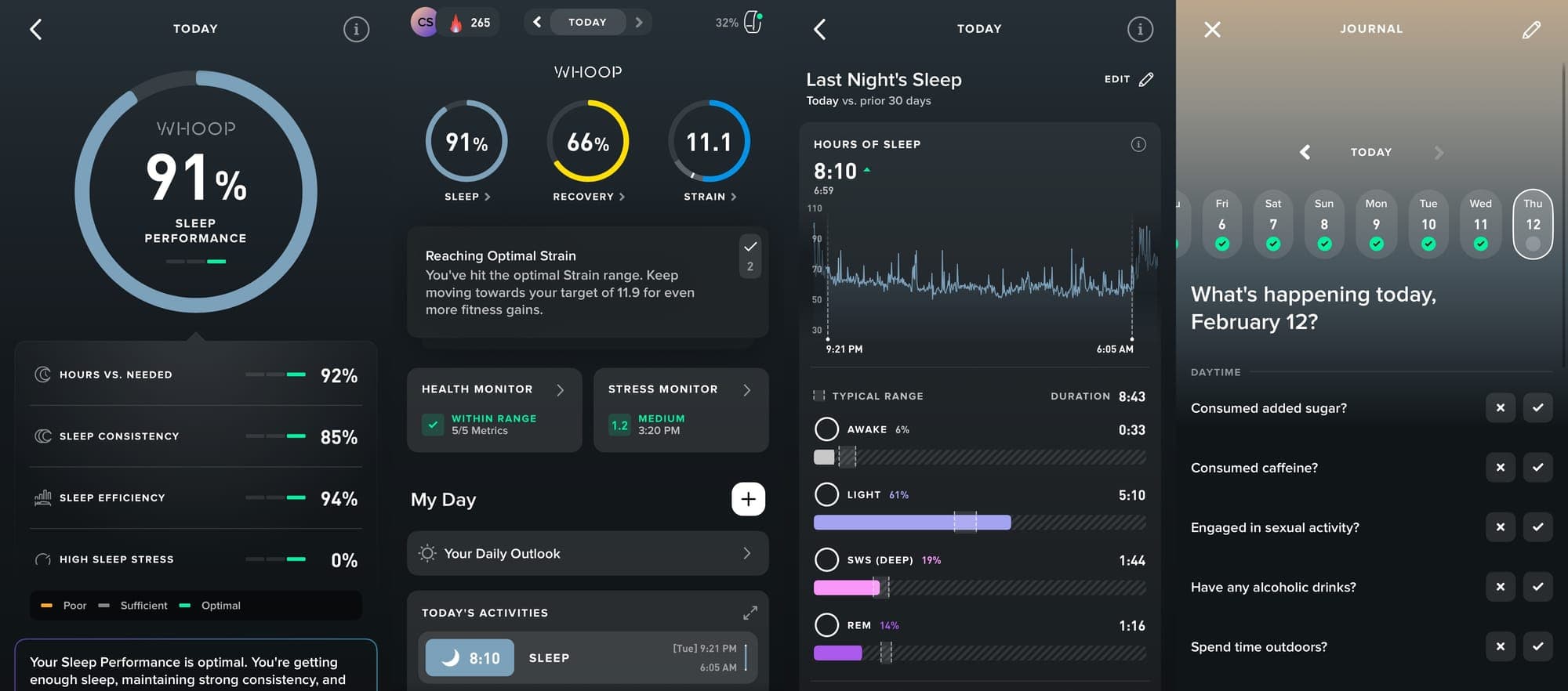
Whoop gives you haptic feedback on your wrist when you hit your optimal strain during a workout, so you know exactly when to wrap things up.
The key difference in philosophy: Whoop's coaching is proactive. It tells you what to do based on your data. Apple's Training Load is more reactive. It shows you charts and lets you figure it out. For someone like me who exercises religiously and tends to overtrain, Whoop's approach was actually helpful. There were days when I was ready to break my Peloton personal record, but Whoop showed my recovery was at 30%, so I dialed it back.
The bottom line? Apple Watch wants you to do more. Whoop wants you to do less when your body needs it. If you're already motivated and your problem is overtraining, Whoop makes sense. If you need help establishing a consistent routine, Apple Watch wins.
2. Screen & GPS
This is where the Apple Watch Series 11 dominates.
The Series 11 has a stunning edge-to-edge always-on display that's 30% larger than the budget SE 3 model. During a run, I can see my heart rate, pace, distance, and duration without breaking stride. When I'm lifting weights, a quick look shows if I'm hitting my target heart rate zone. The display is also twice as bright as previous models, making it easier to read in direct sunlight.
Starting a workout is simple too. Just tap the workout app, pick your activity, and go.
The Series 11 also has built-in GPS, which means it tracks your route and distance without your phone nearby. Combined with 64GB of storage for music, podcasts, or audiobooks, you can leave your phone at home entirely. This is a game-changer for anyone who values disconnecting during workouts.
Whoop has no screen and no GPS.
For some people, the lack of a screen is a feature, not a bug. You're not tempted to check notifications or get distracted during your workout. But I like having access to my stats. Knowing I've run 2.8 miles and I'm targeting 3 miles keeps me motivated during that final push.
Without GPS, Whoop can't track distance or map your route unless you bring your phone and start the workout from the Whoop app. After a few workouts, Whoop does auto-detect activities using heart rate spikes, which works well for running. But it's still a compromised experience compared to the Apple Watch.
3. Activity Tracking Accuracy
Here's where things get tricky for Whoop.
During cardio activities like running and biking, Whoop's heart rate tracking is spot-on and matches my Apple Watch readings. No issues there.
But during weight training, Whoop still has problems. Over six months of testing with the 5.0, my average heart rate for each lifting session was consistently lower on Whoop compared to Apple Watch. When my Apple Watch showed quick spikes to 160 BPM during a set, Whoop would show a flatter reading around 110-120 BPM.
After digging into this more, I finally understand why. Whoop 5.0 prioritizes its 14-day battery life by using a slower 26Hz sampling rate, while Apple Watch samples hundreds of times per second. This effectively "blurs" the rapid heart rate spikes common in weightlifting. Because Whoop captures data less frequently, the software interprets these sudden anaerobic jumps as noise and smooths them out, leading to consistently deflated strain scores.
It's not a hardware issue because the sensor works fine during cardio, where heart rate escalates smoothly. The frustrating part? This was the exact same issue I had with Whoop 3.0 and 4.0. Despite three generations of hardware updates, it hasn't been fixed. I'm not alone either. The Quantified Scientist and Ali Spagnola on YouTube experienced identical issues on previous models, like I did.
This matters because inaccurate heart rate readings affect your strain score, which then affects how recovered Whoop thinks you are. If Whoop thinks you barely worked out when you actually crushed a lifting session, your recovery recommendations lose some credibility.
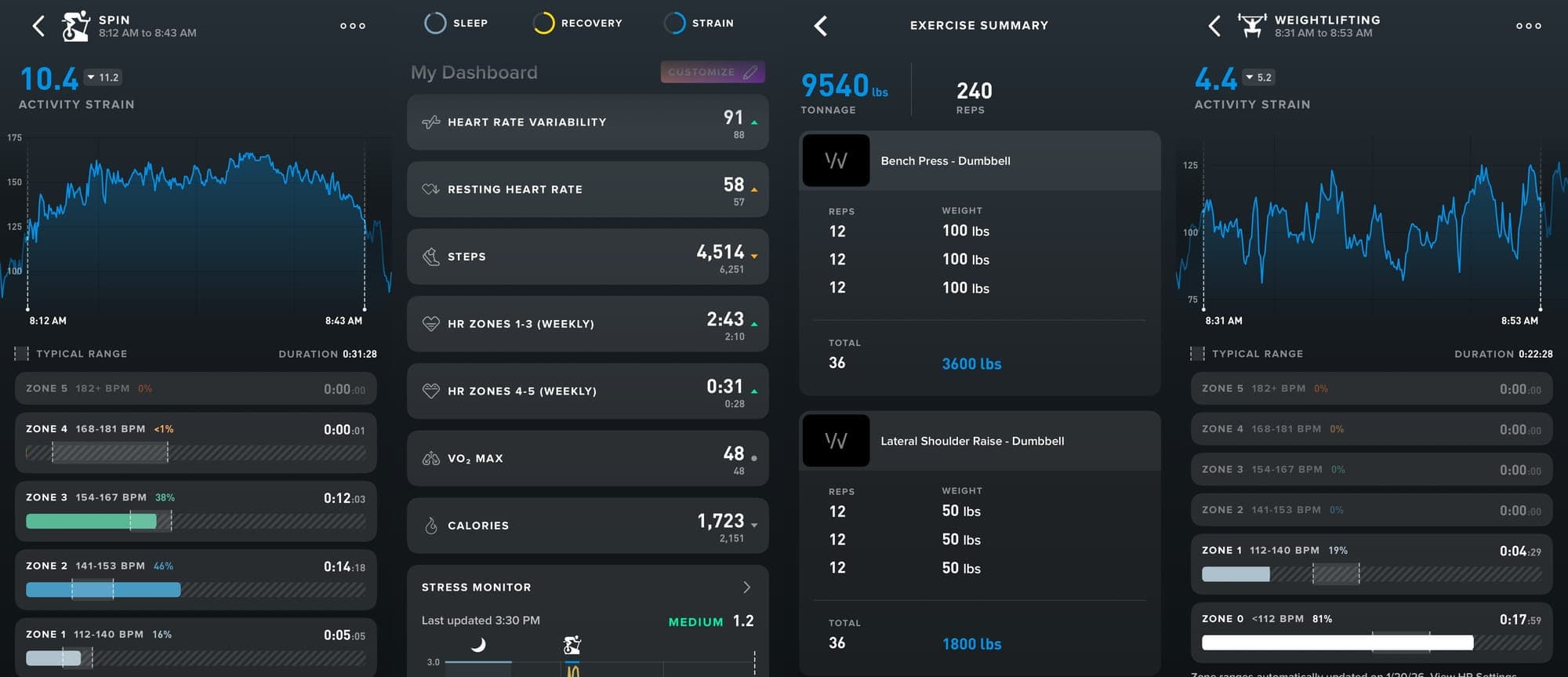
To Whoop's credit, they added a feature called "muscular load" to counteract this. You can manually enter your exercises, reps, sets, and weight, and Whoop will adjust your strain score accordingly. For example, a typical push day gives me a strain score around 4-5 because Whoop misses all the heart rate spikes. But after entering my full workout with muscular load, it more than doubles. If you do the same workouts every week, it becomes manageable because you can save presets. Name one "Push Day," another "Pull Day," another "Leg Day," and just tap the preset after your session. But if you're switching up your workouts often, entering every exercise, rep count, and weight takes at least five minutes, which adds up fast.
It's a cool feature and shows Whoop is aware of the problem. But honestly, it was too much work for me. I used it a handful of times mostly for testing purposes during this review, then went back to ignoring it.
On the positive side, Whoop's auto-logging of workouts is impressive. Once you start working out consistently and log a few sessions, Whoop automatically detects and logs everything based on your heart rate and wrist movements. Over time it becomes extremely accurate, and it's nice not having to manually start workouts. However, there were a couple times where it tagged me having fun with the kids in the yard as snowshoeing, and my lawn mowing session was logged as mountain biking.
The bottom line: If you only do cardio, Whoop should work great. If you lift weights, the strain scores will be deflated unless you manually enter your workouts with the muscular load feature, which is effective but time-consuming. Take the auto-detected strain scores with a grain of salt.
4. Sleep Tracking & Recovery
The Apple Watch Series 11 now has legitimately good sleep tracking. It automatically detects when you fall asleep and wake up, breaks your sleep into REM, core, and deep sleep stages, and graphs everything in a clean interface. According to The Quantified Scientist, it's one of the most accurate trackers on the market.
Apple also has a Vitals app that tracks your overnight metrics after wearing it to sleep for at least seven nights. It monitors your heart rate, respiratory rate, wrist temperature, sleep duration, and training load, then flags each metric as either "typical" or "out of range" based on your personal baseline. If I had been wearing my Apple Watch to sleep when I got the flu in October, it likely would have caught the elevated wrist temperature and respiratory rate before I felt symptoms, similar to how Whoop detected it.
But for day-to-day recovery, there's a glaring omission: the Vitals app doesn't include HRV, which is supposed to be one of the most important metrics for judging how recovered your body is. The Apple Watch does measure HRV, but only once per day, and there's zero emphasis on its importance. It's buried deep in the Health app where you'd have to go looking for it. The Vitals app itself isn't even a standalone iPhone app. The data lives inside the Health app, which makes it easy to miss entirely. Apple has the hardware to compete with Whoop on recovery insights, but the software isn't there yet.
I still don't love wearing something bulky on my wrist while I sleep, but the tracking is solid. Apple Watch assumes you're ready to go 100% every day, which works fine for most people but isn't ideal if you're an athlete trying to optimize performance.
This is where Whoop shines, and the 5.0 has made significant improvements.
Whoop's interface is incredible. Each morning, you get a recovery score based on your sleep quality, HRV, resting heart rate, and respiratory rate. Whoop also sends you a notification each night letting you know how much sleep you need and what time you should go to bed.
The daily questionnaire is brilliant. Each morning, you answer questions about the previous day: Did you drink alcohol? Consume caffeine late? Have sex? Eat a heavy meal? After a month, Whoop shows you which variables impact your recovery. For example, I learned that even one beer destroys my HRV and recovery the next day. I also discovered, a focus supplement I was testing earlier this year tanked my recovery every time I took it.
Here's the big change with the 5.0: the deep sleep tracking is now accurate. With previous versions, I complained that Whoop showed me averaging just 42 minutes of deep sleep per night, which felt way off. Whoop definitely tweaked how deep sleep is measured because now it almost always feels accurate to me. At this point, Whoop is a legitimately great sleep tracker, and I'd argue it's more accurate than my Eight Sleep since it's on my wrist rather than trying to detect movements through a mattress.
With accurate sleep tracking, the recovery scores finally make sense. About 95% of the time, Whoop's recovery score matches how I actually feel. There are still occasional misses, but it's way better than before.
The stress monitor is another useful addition. Throughout the day, Whoop tracks your stress levels, and I found it pretty accurate. Sometimes when I'm deep into work, I don't realize I'm stressed until Whoop shows me a spike. I was able to identify certain habits that were consistently causing stress and cut them out.
One real-world example: I got pretty sick in October with some nasty flu or virus. Whoop detected I was getting sick before I even felt symptoms. My recovery score tanked, and sure enough, the next day I felt terrible. Over the next two weeks, I could watch my recovery numbers tick up each morning as I got better, which was reassuring even when I didn't quite feel it yet. This may have saved me a doctor trip.
Worth noting: Whoop also offers a device called Whoop MG for an additional $100/year that does ECG and blood pressure monitoring. The Apple Watch Series 11 can do ECG as well, though it handles blood pressure differently and less directly than Whoop MG.
The warning: there's potential for analysis paralysis. If you're not careful, you can become obsessed with the numbers and constantly try to optimize them. If you're the type of person who can use data without letting it control you, Whoop is fascinating. If you're prone to overthinking, it might stress you out more than it helps.
5. Battery, Design & Build Quality
The Series 11 gets about 34.5 hours of battery life with the always-on display enabled, or 39.5 hours if you disable it. This requires daily charging, but with the new fast charging, you can hit 85% in just 45 minutes. If you track sleep, charge it after your morning workout while you shower and get ready. Battery life is barely an issue anymore.
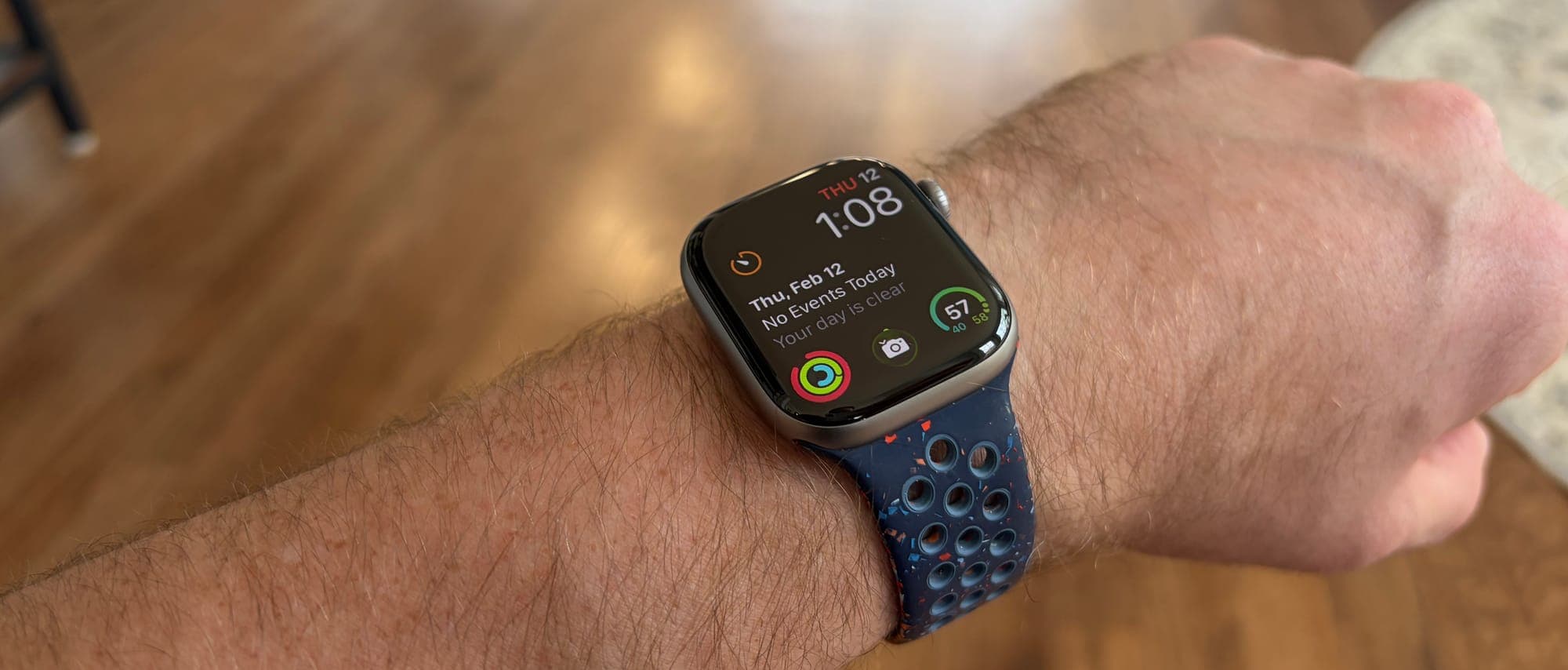
Whoop's battery is incredible. It's listed for 14 days, and I regularly got just about that in my testing. The battery pack that slides onto your wrist while you wear it is once again a great invention. You never have to take Whoop off to charge it. When I get the three-day battery warning notification, I slide the pack on for a couple hours and don't think about battery life again for 10-11 days.
One annoyance: if you take Whoop off for more than 15 minutes, you get a warning to put it back on. The idea that you're not allowed to go offline for a few minutes is annoying, but that's the trade-off when you want good data.
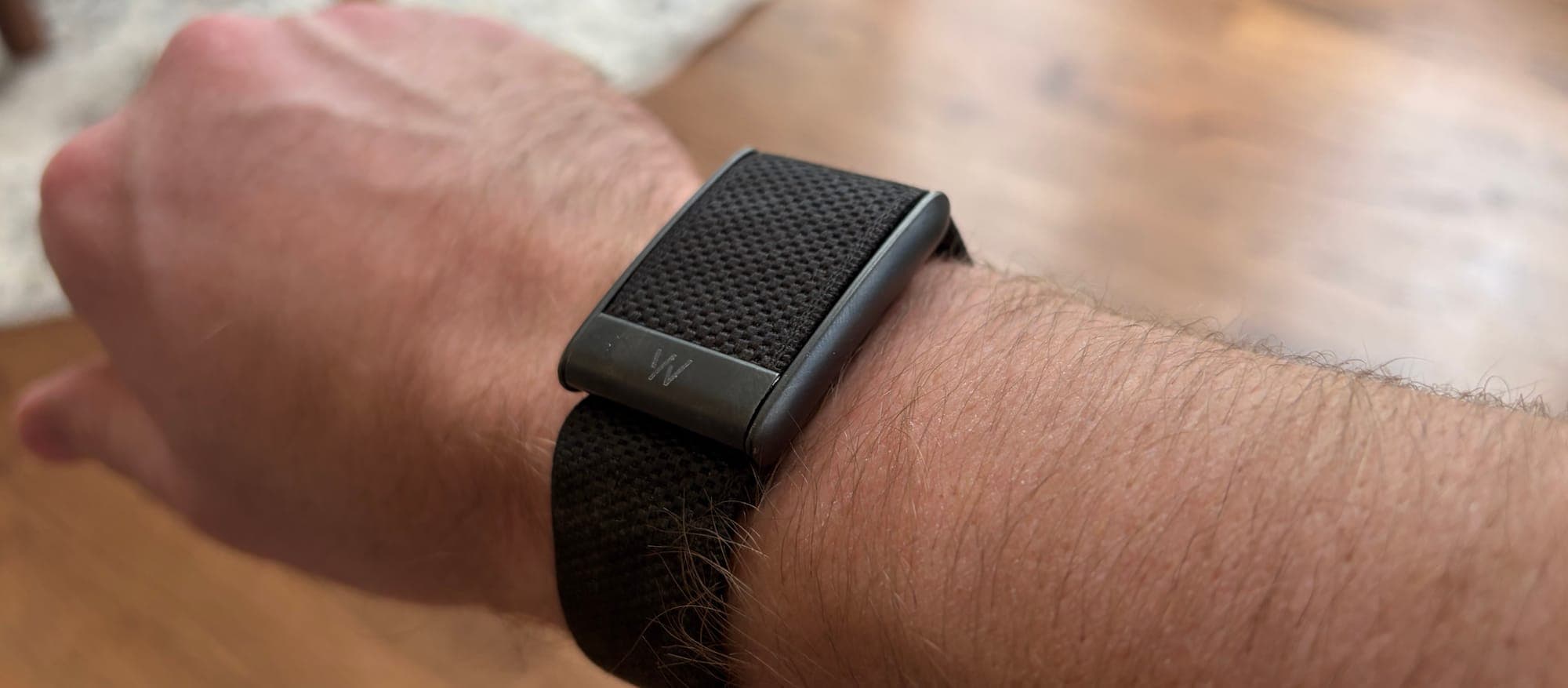
As for comfort, this is where the 5.0 made huge improvements. The 5.0 is super thin and lightweight. I basically never notice I'm wearing it, which is a massive upgrade from previous versions. My routine is wearing Whoop on my right wrist during the day with my Apple Watch on my left, then switching Whoop to my left wrist at night for sleep tracking to give my other wrist a break.
Whoop has released new band options, including leather and a sports flex band, which is much needed because the default band still doesn't feel like premium materials. It doesn't handle sweat well and needs frequent cleaning or it starts to smell.
The Series 11 offers premium materials that Whoop doesn't. The base aluminum model with Ion-X glass is great, but the higher end titanium is even better. Apple Watch bands are also higher quality.
Beyond fitness, the Series 11 brings everyday utility that Whoop can't match. Find your lost iPhone with a tap, pay for coffee with Apple Pay, ask Siri questions, control your smart home, and unlock your front door with compatible smart locks. These aren't fitness features, but they make the watch useful even on rest days.
Which is best for you?
The Apple Watch is the better device for most people. It does more, it's more accurate across workout types, and from a value standpoint, it's not even close. $399 once versus $399 every two years is a huge deal over time. If you don't care about Whoop's recovery features and just want a great fitness tracker, save even more and grab the SE 3 for $249.
But I should be the perfect customer for Whoop. I exercise every day, I'm obsessed with optimizing all aspects of my life, and I love data-driven insights. After six months with the 5.0, I can finally say Whoop has gotten most of it right. The sleep tracking is accurate, the recovery scores match how I feel 95% of the time, the stress monitoring is useful, and detecting illness before symptoms appeared was legitimately valuable.
Weight lifting accuracy issues still exist after three generations. The muscular load feature helps if you're willing to manually enter your exercises after each session, but it was too much work for me. If you primarily do cardio, or you're willing to take the strain scores with a grain of salt after lifting, Whoop offers insights Apple Watch simply doesn't.
Honestly, I'd pay Whoop $10/month just to use my Apple Watch's data with Whoop's superior interface and algorithms. That combination would be perfect. But for the first time in three generations of testing, the 5.0 finally delivers on what Whoop has been promising all along.