Apple Watch Series 11 vs. SE 3: 11 Reasons to Consider an Upgrade

I test the new Apple Watch models every single year, and I come to the same conclusion: the SE is the best value for most people. Whether it was the original, the SE 2, or now the SE 3, it's the rational choice.
Even last year, I recommended the SE 2 despite the three year old dated technology. And this year the SE 3 got massive upgrades, while the Series 11 is just a minor tweak to the Series 10.
The Apple Watch SE 3 now has an Always-On screen, body temperature monitoring, fast charging, and 64GB of storage. It's even using the S10 chip, which makes it as fast as the flagship Series 11. The SE 3 now nearly matches the Series 11 in every way that actually matters.
So why would anyone pay the extra $150 for the Series 11? It comes down to the edge-to-edge display and a slightly better design on the outside. For 95% of people, that's not worth $150. But if you think you might be in that other 5%, let's break down the nine reasons to consider the jump.
TL;DR — Which should you buy?
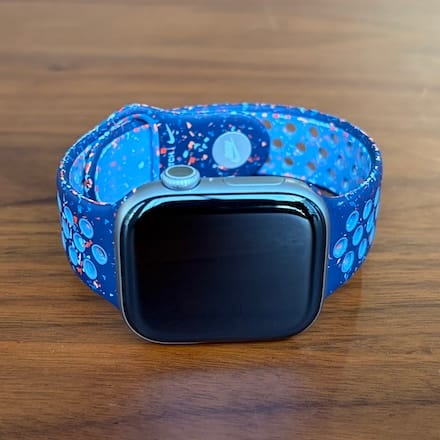
Apple Watch Series 11
Best for you if:
- You want extra screen pixels and slightly longer battery life
- You prefer a thinner, better-fitting design on the wrist
- You're willing to pay $699 for premium titanium materials
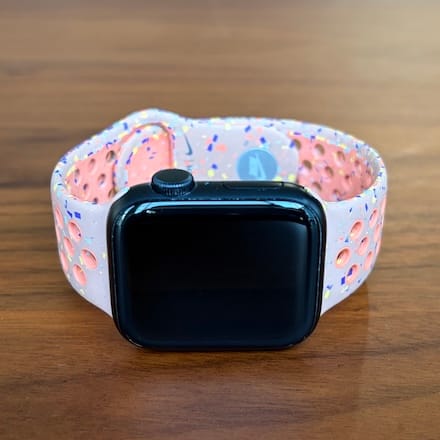
Apple Watch SE 3
Best for you if:
- It's your first Apple Watch or you just want to save money
- You want all the key features at the best value
- You don't need premium titanium or the absolute largest display
1. Screen Size
Both the SE 3 and Series 11 are almost identical internally. Even when powered off, they look pretty similar externally. However, once powered on, the displays are noticeably different.
Over the years, Apple has increased the display size three times by reducing the black bezel area around the screen, pushing pixels closer to the edge while keeping the case size nearly unchanged. Essentially, Apple gradually trims the bezels every few years.
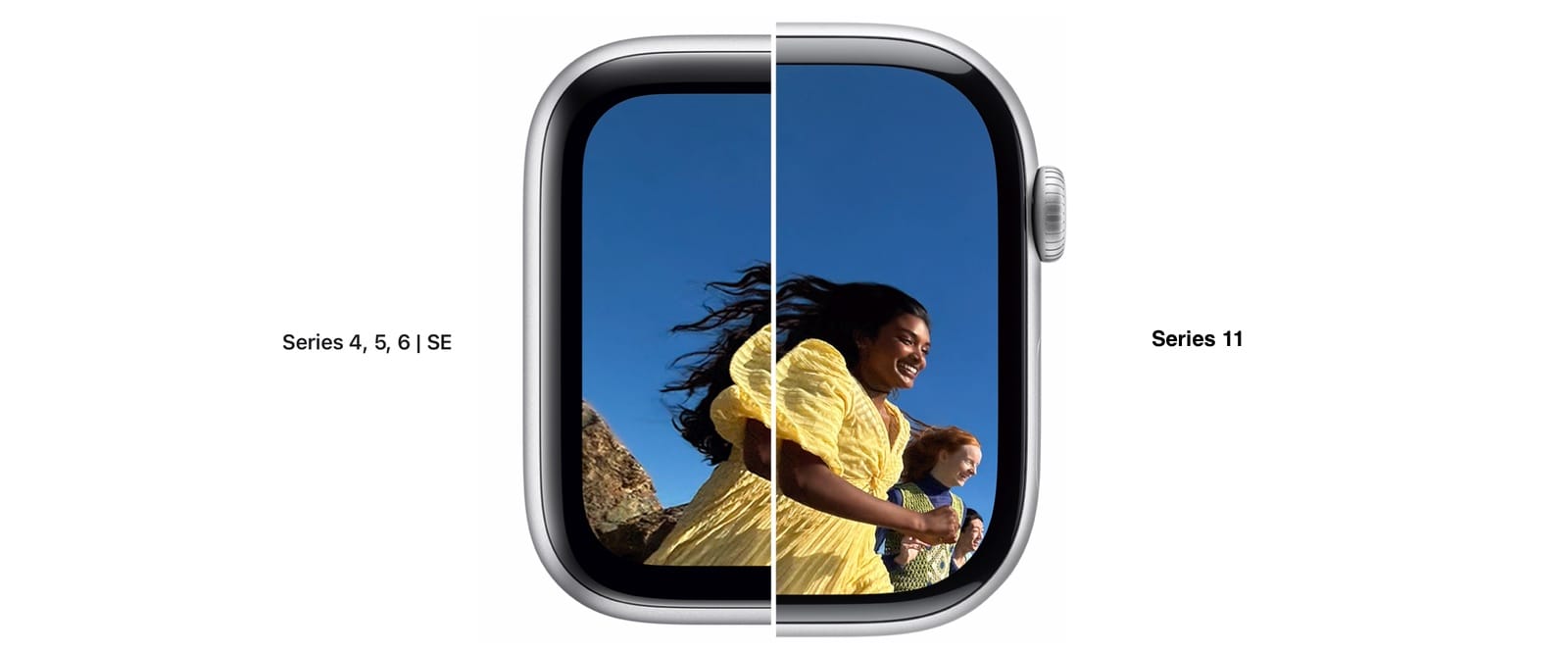
The SE 3 has remained at 40mm and 44mm, while the Series 11 offers 42mm and 46mm models. Despite the 2mm increase, the watch isn't bulkier. The 42mm Series 11 has about 30% more pixels than the 40mm SE, and the 46mm Series 11 has 25% more pixels than the 44mm SE 3. Interestingly, the smaller 42mm Series 11 packs roughly the same pixel count as the larger 44mm SE.
When comparing them side by side, the SE's thicker black bezel is immediately obvious, especially next to the edge-to-edge display on the Series 11. In day-to-day use, the extra pixels make text clearer and easier to read, especially during a workout when you're just glancing at your wrist.
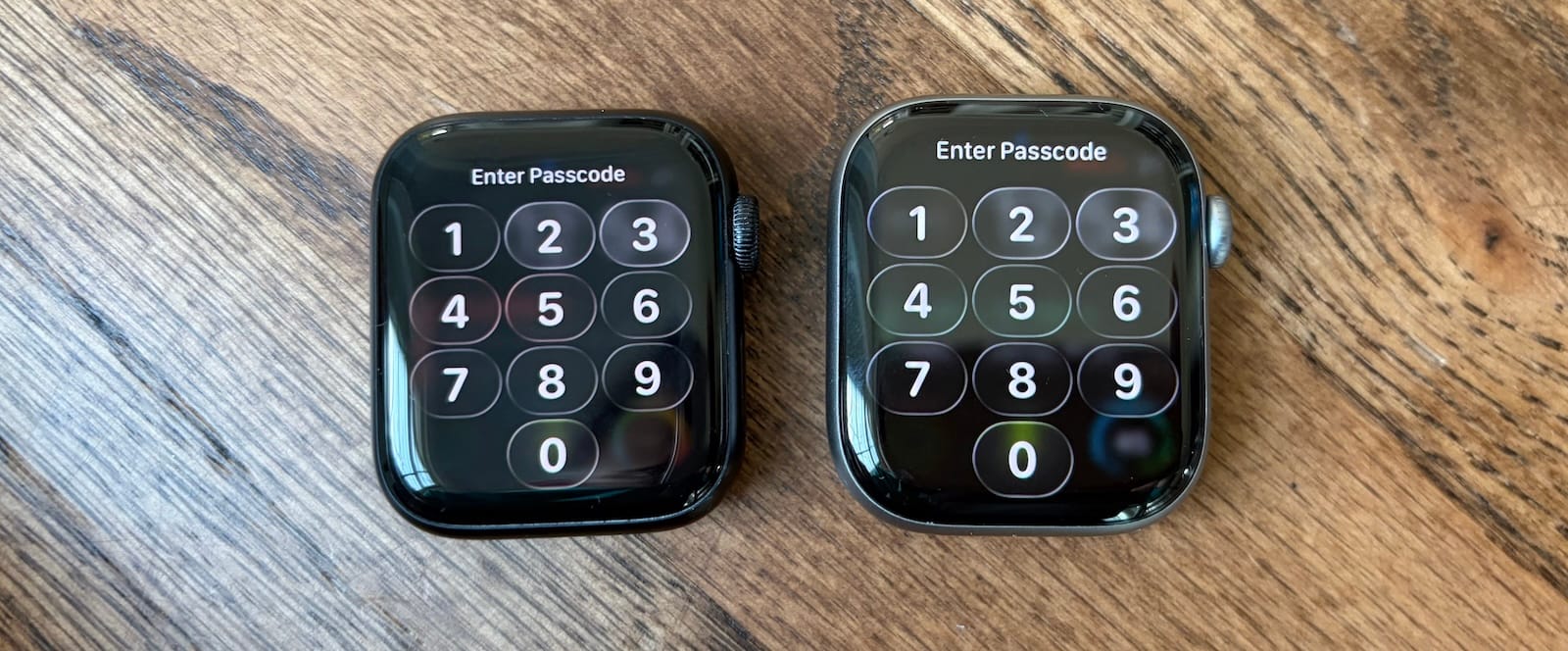
The smaller display on the SE is always the most jarring difference when switching back to it from the Series models. For the first day or two, I'm usually disappointed by how dated it feels, but after that, I stop noticing the difference, and the SE gets the job done.
First-time Apple Watch owners likely won't care much about the display size because they have nothing to compare it to. But for those upgrading from an older model, the Series 11's larger display feels like a meaningful improvement.
2. Battery
Both the Series and SE models got a battery boost over their previous generation.
| Model | Case Size | Capacity (Wh) | Note |
|---|---|---|---|
| Series 11 | 46mm | 1.403 Wh | Largest non-Ultra battery ever |
| Series 11 | 42mm | 1.245 Wh | Roughly 10% boost over Series 10 |
| SE 3 | 44mm | 1.276 Wh | 12% boost over SE 2 |
| SE 3 | 40mm | ~1.1 Wh | 12% boost over SE 2 |
Both are marketed as all-day battery "all-day battery" life, but the Series 11 is listed for 24 hours, while the SE 3 is listed for 18 hours. On paper, the Series 11 lasts 33% longer than the SE 3. But interestingly, in my testing, the Series 11 only lasted about 22% longer, which is still a huge difference.
| Model | Always-On Status | Avg. Runtime (Hours) |
|---|---|---|
| Apple Watch Series 11 | Disabled | 39.5 Hours |
| Apple Watch Series 11 | Enabled | 34.5 Hours |
| Apple Watch SE 3 | Disabled | 32.5 Hours |
| Apple Watch SE 3 | Enabled | 28.0 Hours |
But with Always-On enabled, neither watch lasts two full days, so you're charging daily no matter what.
In previous years, fast charging was a key reason to choose the Series model over the SE. The Series 10 charged an hour faster to 80% than the SE 2, which actually mattered more than total battery life. If you track sleep and can't charge overnight, you need to top up quickly during the day, and the Series 10's faster charging made it the better choice.
| Time Elapsed | Series 11 Charge | SE 3 Charge |
|---|---|---|
| 15 Minutes | 35% | 32% |
| 30 Minutes | 56% | 59% |
| 45 Minutes | 85% | 84% |
| 60 Minutes | 98% | 98% |
This completely changed this year. Apple says the SE 3's quick recharging is 0-80% in about 45 minutes, while the Series 11's is 0-80% in about 30 minutes. But in my real-world testing, they were almost identical.
3. Build Quality
The SE 3’s glass is marketed as "4x more crack-resistant," while the Series 11 is "2x more scratch-resistant." Since I've seen two family members crack their SE screens, that focus on extra protection for the budget model makes sense. Both watches still use Ion-X glass, but if you're worried about those annoying micro-scratches, the Series 11's new ceramic coating is the better bet. Fortunately, after two months of daily wear, both models are still in great condition.
The aluminum Series 11 is about 15% heavier than the SE 3, which comes down to the extra sensors, a bigger battery, and that more advanced screen tech. You won't really notice the extra weight on your wrist, but it does make the Series 11 feel more sturdy and premium.
If you put them side-by-side, the Series 11 feels like a nicer device. Since it's about 10% thinner than the SE 3, Apple was able to fuse the screen directly to the glass. This gives it a "laminated" look where the pixels feel like they're painted right on top. The SE 3 still has that older, chunky feel where the glass sticks out more. It's not a dealbreaker, but it's a clear "you get what you pay for" moment. Because most of that thinness comes from a reduction in the bottom of the case, the Series 11 sits closer to your wrist for a more comfortable fit.
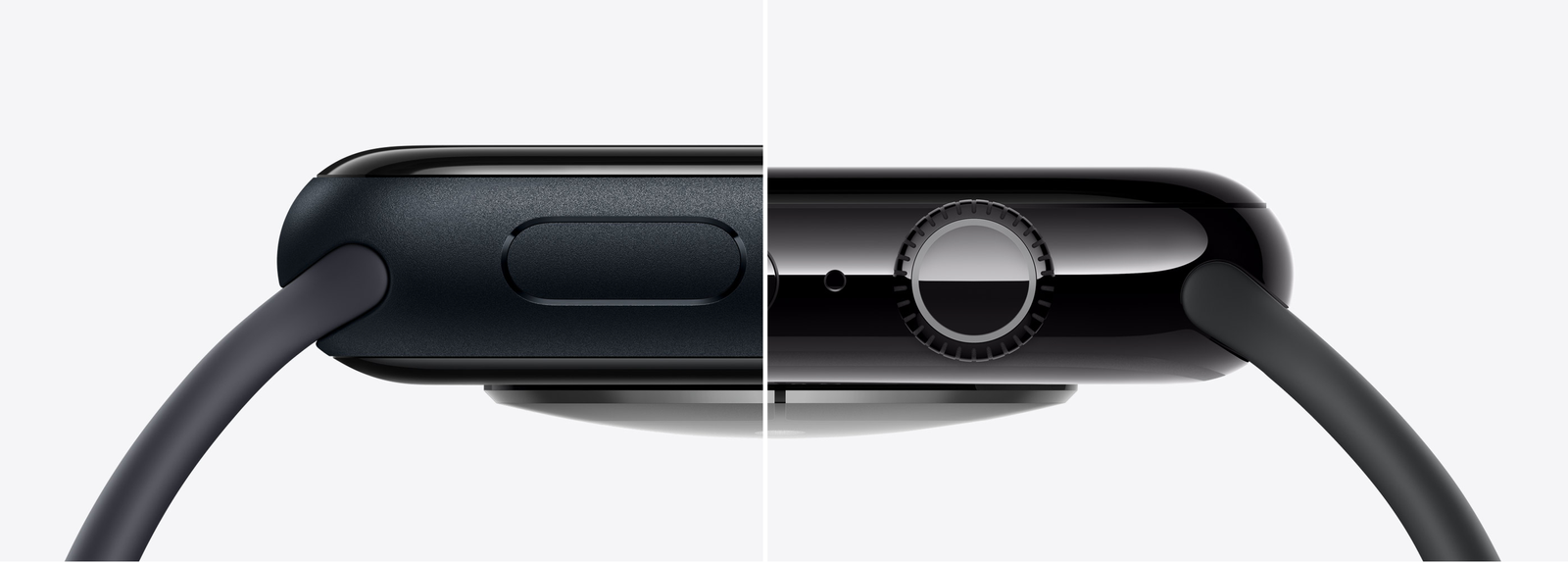
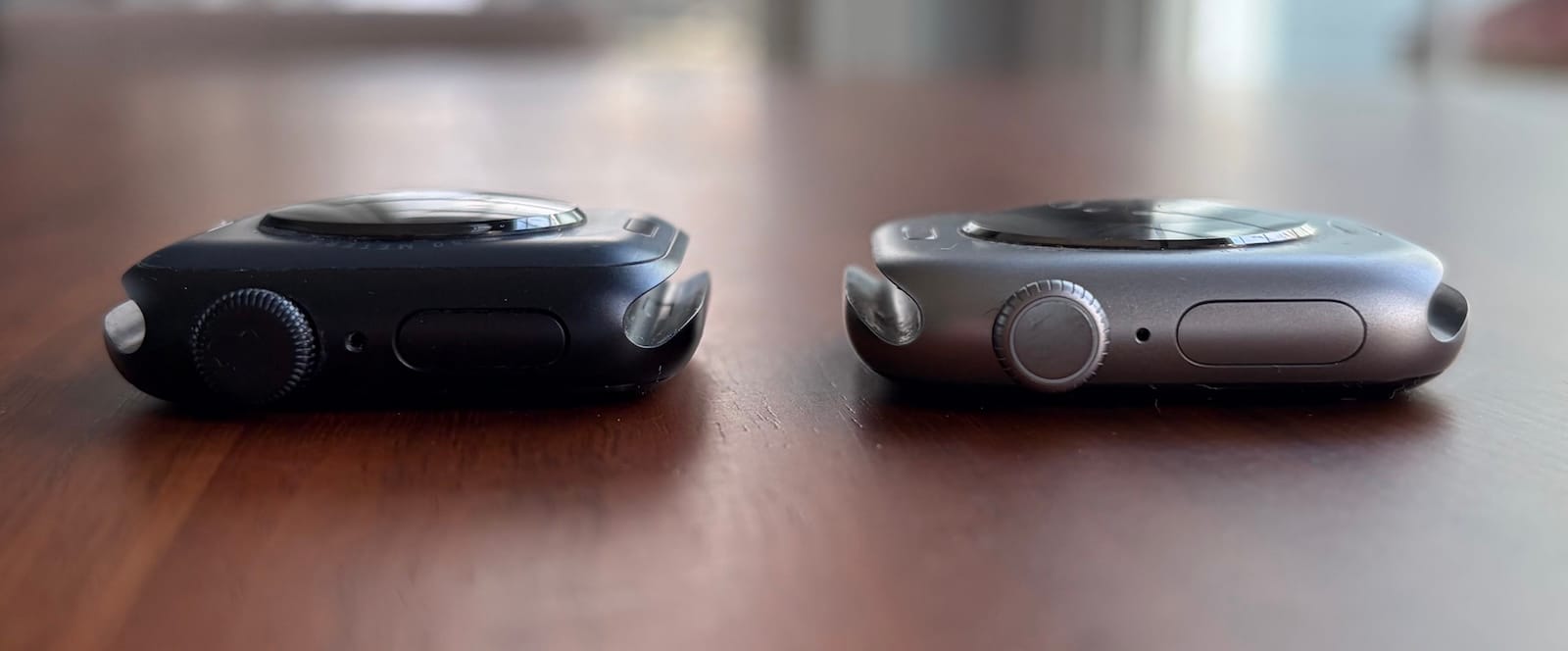
The SE comes in two aluminum case colors (Midnight and Starlight) with an Ion-X glass display, while the Series 11 comes in Jet Black, Rose Gold, Silver, and Space Gray. If you're eyeing the base model SE at $249 or the Series 11 at $399, the material differences aren't significant, aside from the slightly improved glass.
But on the higher end, the new titanium models with sapphire glass are an awesome investment if you're not constrained by budget because they're more durable and scratch-resistant than Ion-X glass. The premium build quality of the higher-end Apple Watch models (stainless steel from previous years or titanium) is the main reason I skip the SE every year. However, if you haven't experienced the high-end materials for yourself, you'll probably be content with the SE. You don't know what you don't know.
4. Eight Minor Upgrades
Screen size, battery, and build quality are the three largest differentiators, but there are some other minor features that may influence your decision if enough of them appeal to you.
- Precision Finding: Finding your iPhone from your Apple Watch has always been limited to just ringing it, but thanks to the second generation Ultra Wideband chip (U2), tapping the phone icon now shows an arrow on your watch screen with the exact distance in feet. It's super useful when your phone is buried in a couch cushion. This same chip also lets you unlock certain high-end cars and smart locks just by walking up to them.
- Keyboard: The Series 11 lets you type with a keyboard on both the 42mm and 46mm models. It's not ideal and I'm not a huge fan, especially on the 42mm model, but it can be useful in a pinch.
- ECG Reader: The Series 11 has an ECG reader, which you can use by holding a finger on the Digital Crown for 30 seconds.
- Blood Oxygen: The blood oxygen reader is back (in a slightly different form) for the Series 11 after disappearing from flagship models for 18 months.
- Display Tech: The Series 11 has an LTPO3 OLED display with a wider viewing angle and can get twice as bright as the SE. Both are noticeable improvements if you're looking for them, but I've never had an issue seeing my watch outside in ten years, even at 50% brightness.
- Heart Sensors: The Series 11 has a 3rd-generation optical heart sensor and an electrical heart sensor compared to a single second-generation sensor on the SE 3. In side-by-side testing over the last five years, I haven't noticed a difference in real life.
- Water Features: The Series 11 has a depth gauge for water up to 6m and a water temperature sensor.
- WiFi: Dual-band WiFi support (2.4GHz and 5GHz) is another feature that exists but probably won't be super helpful to most.
Which is best for you?
The SE 3 is the best Apple Watch for most people this year, and it's not even close on value. Apple closed the gap so much that the Series 11's advantages are mostly cosmetic: a bigger display, thinner case, and nicer color options. If you've never experienced the premium materials, you won't miss them.
The only strong case for the Series 11 is if you want the titanium model or you're upgrading from an older Series and/or don't want to feel like you're going backwards on screen size. For everyone else, save the $150.
I'm Cam, the guy behind Power Moves. I've been buying tech with my own money and writing about it since 2016. No sponsorships, no free products, no filter. I started with smart home gear and mesh routers, but these days I review anything that catches my attention, mostly fitness trackers and sleep tech. If something's great, I'll say so. If it's overpriced garbage, I'll say that too.